Professional Instagram Creator Studio with AI Publishing
Key Takeaway
ViraloKit is the only Instagram creator studio that combines official Meta Graph API v23.0 publishing (zero scraping, zero shadowban risk), multimodal Google Gemini AI (1.5 Flash, 2.0 Flash & BYOK), and 25 GB isolated Cloudinary storage — all free forever for serious creators and brands.
What is ViraloKit?
ViraloKit is a professional Instagram Creator Studio — a web-based application that lets Instagram Professional Account holders publish multi-slide carousel posts (2–10 slides), Reels, and single images directly to Instagram using Meta's official Graph API v23.0. Unlike automation tools that scrape or simulate browsers, ViraloKit uses server-to-server API calls with verified tokens, ensuring 100% policy compliance. It includes AI-powered caption writing, visual subject/mood analysis, live post analytics (views, reach, non-follower %, saves), and 25 GB of user-isolated cloud media storage via Cloudinary.
Who This Is For
- Instagram creators & brands who need policy-compliant publishing at scale
- Social media managers managing multiple client accounts with verified insights
- Agencies & growth teams requiring 100% real Meta Graph API data (no estimates)
- Content strategists who want AI-assisted caption writing with visual analysis
The next-generation creator studio for serious Instagram brands. Compose multi-slide carousels, audit 100% verified Meta insights, craft AI captions, and manage media with dedicated 25 GB cloud isolation.
Meta Publishing Limit
100 Posts / Day
Carousel Albums
2 to 10 Slides
Meta Insights
100% Live Graph API
Media CDN Storage
25 GB Isolated
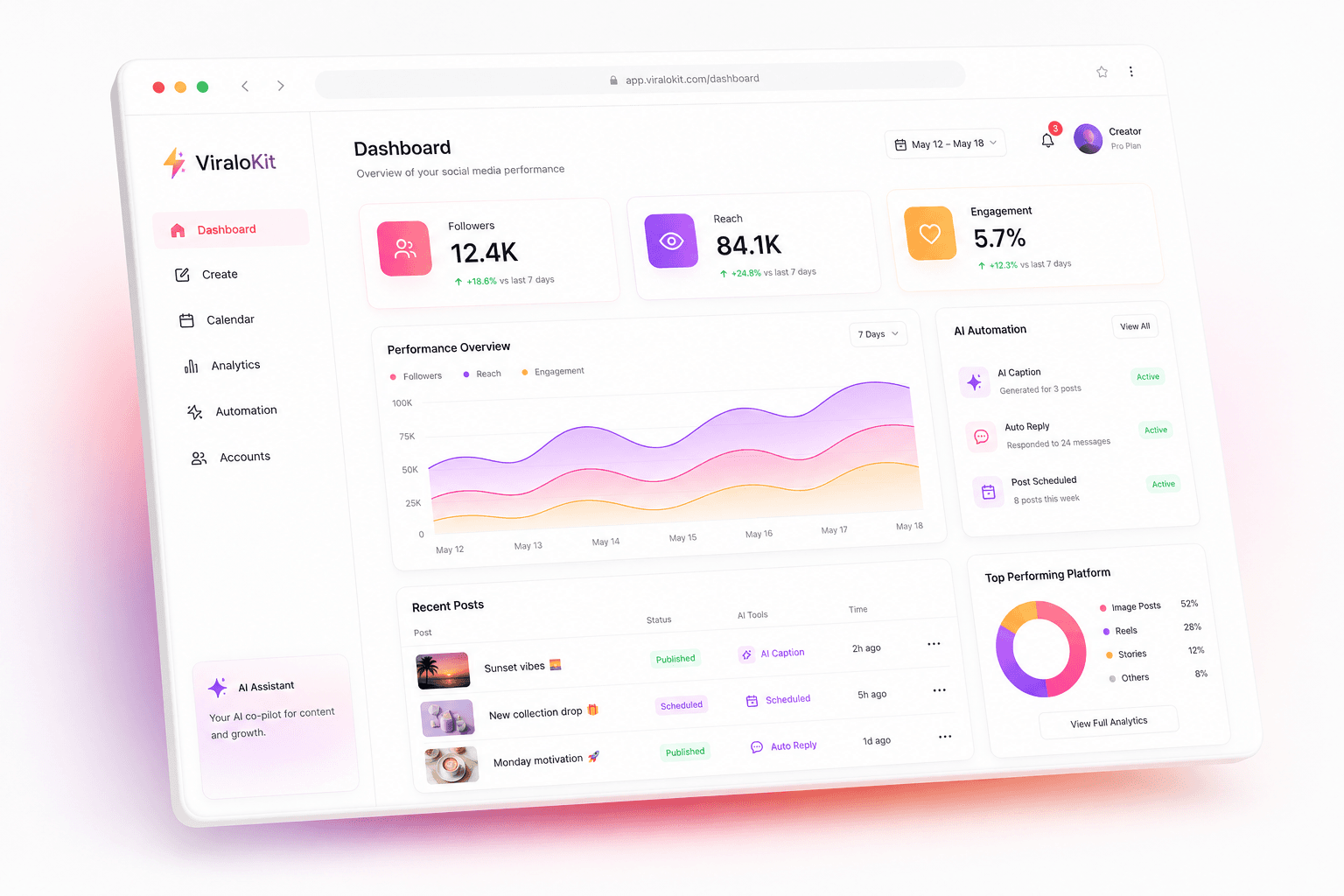
Experience the Studio Interface
Switch between tabs below to inspect how carousel creation, official Meta insights, and CDN storage operate.
“Mastering high-impact visual storytelling on Instagram isn't luck — it's a repeatable architecture. Swipe through for our 5-slide breakdown. 📸✨ #CreatorStudio #VisualStorytelling #InstagramGrowth”
Carousel Slide 1 of 5
1080 × 1080 • 1:1 Square
121 likes • 14,561 views
What Can ViraloKit Do for Your Instagram Strategy?
No fragile automation, no cookie scraping. Built exclusively on official Meta Graph API v23.0 infrastructure.
How does Meta Graph API v23.0 publishing work?
Connect your Instagram Professional Account directly. Publish carousel albums, reels, and photos with zero shadowban risk.
- Server-to-server API calls (no browser automation)
- Supports System User tokens (lifetime validity)
- 100 posts/day limit per Instagram account
What verified Meta insights can I track?
Audit true live metrics: Total Views, Reach, Non-follower distribution, Profile visits, and Saves parsed directly from Meta endpoints.
- Total Views & Unique Reach (follower vs non-follower)
- Interactions: Likes, Comments, Shares, Saves
- Discovery source breakdown (Explore, Home, Profile)
- Profile visits & follower growth attribution
How does AI caption generation work?
Multimodal visual subject recognition, mood analysis, viral caption generation, and hashtag recommendations powered by Google Gemini.
- Visual subject & mood analysis (Gemini Multimodal Vision)
- Free Tier BYOK (Bring Your Own Key, 15 RPM free forever)
- Tone presets: Creator, Aesthetic, Minimal, Hinglish
- Anti-slop humanizer & 26 scored hook formulas
How does isolated 25 GB Cloudinary storage work?
User-segregated storage under your handle. Purge uploaded media in 1 click to keep your 25 GB CDN quota free permanently.
- Folder path: viralokit/users/ig_yourusername/
- Auto-purge after successful Instagram publish
- 25 GB free tier (~25,000 images at 1MB each)
- Zero-quota anxiety — purge anytime, keep quota empty
How many carousel slides can I publish?
Upload 2 to 10 slides, reorder on the fly, and lock aspect ratios (1:1 Square, 4:5 Portrait, 9:16 Story) with client-side 1080px optimization.
- 2–10 slides per carousel album
- Drag-and-drop slide reordering
- Aspect ratio lock: 1:1, 4:5, 9:16
- Client-side 1080px optimization before upload
Is my data secure with ViraloKit?
Supabase Auth protection, PostgreSQL Row-Level Security, GitGuardian verified pre-commit shields, and AES-256 token encryption.
- Supabase Auth (Enterprise session management)
- PostgreSQL RLS (Row-Level Security on all tables)
- GitGuardian pre-commit secret scanning
- Server-side AES-256 token encryption
ViraloKit vs. Automation Tools vs. Native Instagram
| Feature | ViraloKit | Automation Tools | Native Instagram |
|---|---|---|---|
| Publishing Method | Meta Graph API v23.0 | Browser Automation / Scraping | Official App |
| Shadowban Risk | Zero | High | Zero |
| Carousel Support | 2–10 Slides | Limited / Unreliable | Full |
| AI Captions | Google Gemini (Free BYOK) | None | None |
| Verified Analytics | Live Graph API Data | Estimated / Scraped | Native Insights |
| Cloud Storage | 25 GB Isolated | None | None |
| Cost | Free Forever | $20–100+/mo | Free |
| Multi-Account | Yes (via System User) | Yes (Risky) | Limited |
Sources: Meta Graph API Docs •Instagram Graph API Guide
How Do I Get Started with ViraloKit?
From zero to published carousel in under 5 minutes. No credit card, no complex setup.
Step 1: How do I connect my Instagram account?
Link your Instagram Professional account with official Meta Graph API v23.0 server-side tokens in under 60 seconds.
- Convert to Professional Account (free in Instagram settings)
- Create Meta Developer App or use System User token
- Paste token in ViraloKit — instantly verified
Step 2: How does AI compose my captions?
Upload up to 10 carousel slides. Let multimodal AI analyze visual themes and write viral, engagement-driven captions.
- Drag & drop images (auto-optimized to 1080px)
- AI analyzes visual subject, mood, colors
- Generates caption + hashtags in your chosen tone
- Edit, regenerate, or write manually
Step 3: What happens after I publish?
Publish directly to your live Instagram feed. Track real-time views, reach, non-follower discovery, and saves.
- Direct server-to-server publish via Graph API
- Real-time insights: Views, Reach, Non-follower %
- Discovery source: Explore, Home, Profile, Hashtags
- Auto-purge Cloudinary media to keep 25 GB free
Quick-Start Checklist
- 1 Switch to Professional Account in Instagram Settings → Account Type → Professional
- 2 Get Meta Token — Create Developer App at developers.facebook.com or use System User token
- 3 Sign in to ViraloKit at viralokit.vercel.app/dashboard
- 4 Paste Token — ViraloKit validates it instantly
- 5 Create & Publish — Upload images, generate AI caption, hit Publish
Frequently Asked Questions About ViraloKit
Quick answers to the most common questions from Instagram creators and brands.
Last updated: September 9, 2025|Content verified against Meta Graph API v23.0 documentation